Ctrl+K
orix orix

orix

  • User guide
  • API reference
  • Contributing
  • Changelog
  • GitHub
  • User guide
  • API reference
  • Contributing
  • Changelog
  • GitHub

Section Navigation

Getting started

  • Installation

Usage

  • Tutorials
    • Visualizing point groups
    • Crystal directions
    • Inverse pole figures
    • Uniform sampling of orientation space
    • Stereographic projection
    • Sampling unit vectors
    • Visualizing Crystal Poles in the Pole Density Function
    • Clustering across fundamental region boundaries
    • Clustering orientations
    • Clustering misorientations
    • Crystal map
  • Examples
    • Crystal maps
      • Create empty crystal map
      • Select and modify data
    • Crystal phase
      • Create crystal phase
      • Crystal reference frame
    • Inverse pole figures
      • Inverse pole density function
    • Misorientations
      • Misorientation from aligning directions
    • Orientations
      • Orientation from aligning directions
    • Plotting
      • Color scatter plots
      • Visualizing orientations
      • Subplots
      • Interactive crystal map plot
      • Visualizing paths between rotations and vectors
    • Rotations
      • Rotating z-vector to high-symmetry crystal directions
      • Rotations mapping the fundamental sector on S2
      • Combining rotations
    • Stereographic projection
      • Wulff net
      • Plot symmetry operations
      • Restrict to fundamental sector
      • Zoom region inset
    • Crystal symmetry
      • Create crystal symmetry

Resources

  • Bibliography
  • Applications
  • Related projects
  • License
  • User guide
  • Examples
  • Stereographic projection

Stereographic projection#

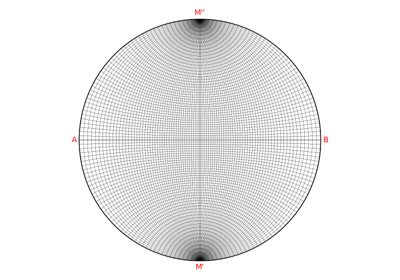
Wulff net

Wulff net

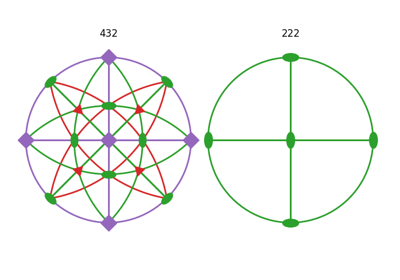
Plot symmetry operations

Plot symmetry operations

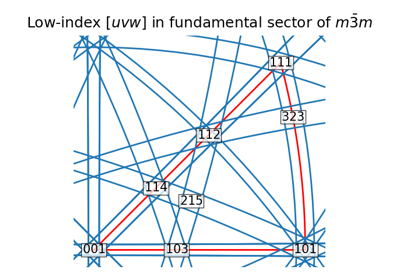
Restrict to fundamental sector

Restrict to fundamental sector

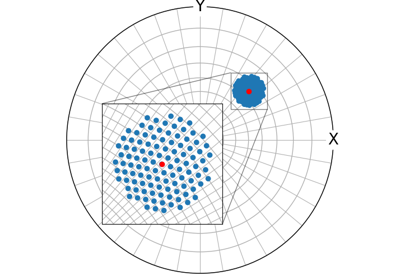
Zoom region inset

Zoom region inset
previous

Combining rotations

next

Wulff net

Edit on GitHub

This Page

  • Show Source

© Copyright 2018-2026, orix developers.

Created using Sphinx 9.0.4.

Built with the PyData Sphinx Theme 0.16.1.